Alarm Clock Manual: A Comprehensive Guide
This manual details everything from historical context – like the decline of ‘knocker-ups’ – to modern smart features,
covering setup, troubleshooting, and even wearable device integration for a seamless waking experience.
Alarm clocks are ubiquitous tools designed to rouse individuals from sleep at a predetermined time. Historically, waking services like ‘knocker-ups’ – individuals who physically woke others – were commonplace, but the advent of mechanical and, subsequently, electric and digital alarm clocks revolutionized morning routines.
Today’s alarm clocks range from basic time-displaying devices with a simple alarm function to sophisticated smart clocks integrating voice control and smart home connectivity. This guide provides a comprehensive overview, covering the evolution, types, operation, and maintenance of these essential devices, ensuring a punctual start to your day.
History of Alarm Clocks
The need to reliably wake individuals predates modern technology, with historical roles like ‘knocker-ups’ fulfilling this function until the early 1900s. These professionals physically roused workers by tapping on doors or windows.
The mechanical alarm clock, exemplified by Westclox’s 1908 ‘Big Ben’ with its distinctive bell-back, marked a pivotal shift. This innovation offered a self-contained, affordable waking solution. Subsequent advancements brought electric and, eventually, digital alarm clocks, continually refining accuracy and features. Today, alarm functionality extends to wearable devices, demonstrating a continuous evolution driven by the desire for punctual mornings.
Types of Alarm Clocks
Alarm clocks have diversified significantly over time, catering to varied preferences and technological advancements. Initially, mechanical alarm clocks relied on spring-powered mechanisms and a bell for alerting users, like the iconic Big Ben.
Electric alarm clocks then emerged, utilizing electricity for operation, offering increased reliability. The advent of digital technology led to digital alarm clocks, providing precise timekeeping and features like snooze and multiple alarms. Modern iterations include smart alarm clocks, integrating voice control and smart home connectivity, representing the latest evolution in waking technology.
Mechanical Alarm Clocks

Mechanical alarm clocks represent the earliest form of automated wake-up calls, predating widespread electricity. These devices operate using a tightly wound spring that gradually releases energy, powering the clock’s gears and hands.
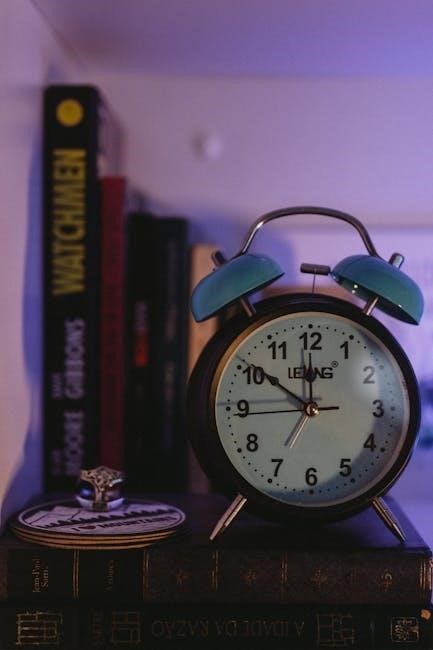
A key feature is the bell-back design, exemplified by the Westclox Big Ben, where a hammer strikes a bell at the pre-set alarm time. While requiring manual winding, their simplicity and reliability made them popular for decades, offering a robust and independent method for ensuring timely awakenings before modern alternatives emerged.
Electric Alarm Clocks
Electric alarm clocks emerged as a significant advancement, utilizing electricity to power their mechanisms and eliminate the need for manual winding. These clocks typically employed an electromagnetic solenoid to activate an alarm hammer, striking a bell or creating a buzzing sound.
This innovation offered increased convenience and reliability compared to their mechanical counterparts. While still relying on physical components for the alarm function, electric clocks provided a consistent power source, ensuring accurate timekeeping and dependable wake-up calls, marking a transition towards more automated time management;
Digital Alarm Clocks
Digital alarm clocks revolutionized timekeeping with the introduction of electronic displays and quartz crystal oscillators for precise time measurement. These clocks replaced traditional hands with numerical readouts, offering a modern aesthetic and enhanced clarity.
Utilizing electronic circuits, digital alarms generate sounds through speakers or buzzers, often incorporating features like adjustable volume and tone. They frequently include additional functionalities such as snooze buttons and the ability to set multiple alarms, catering to diverse waking preferences and schedules. This marked a significant leap in alarm clock technology.
Setting Up Your Alarm Clock
Proper setup is crucial for reliable operation. Begin by ensuring your alarm clock is placed on a stable, level surface to prevent accidental falls or muffled sounds. Next, address the power source – whether it requires batteries or an AC adapter – and install them correctly, observing polarity if applicable.

Before programming alarms, accurately set the current time. Digital clocks typically have buttons for hour and minute adjustment, while mechanical clocks require turning dials. Confirm the time is displayed correctly, considering AM/PM settings, to guarantee timely wake-up calls.
Initial Setup and Power Source
Upon unboxing, carefully inspect your alarm clock for any physical damage. Determine the required power source: some models utilize standard AC adapters, plugging directly into a wall outlet, while others rely on battery power – typically AA or AAA batteries.
For battery-operated clocks, insert batteries according to the polarity markings (+ and -) within the battery compartment. Ensure a secure connection. If using an AC adapter, firmly plug it into both the clock and the power outlet. A proper power connection is fundamental for accurate timekeeping and alarm functionality.
Setting the Time
Most alarm clocks feature dedicated buttons or dials for time adjustment. Locate the ‘Hour’ and ‘Minute’ buttons – or corresponding dials – and use them to set the current time. Digital clocks often have a ‘Set’ or ‘Mode’ button to initiate time-setting mode.
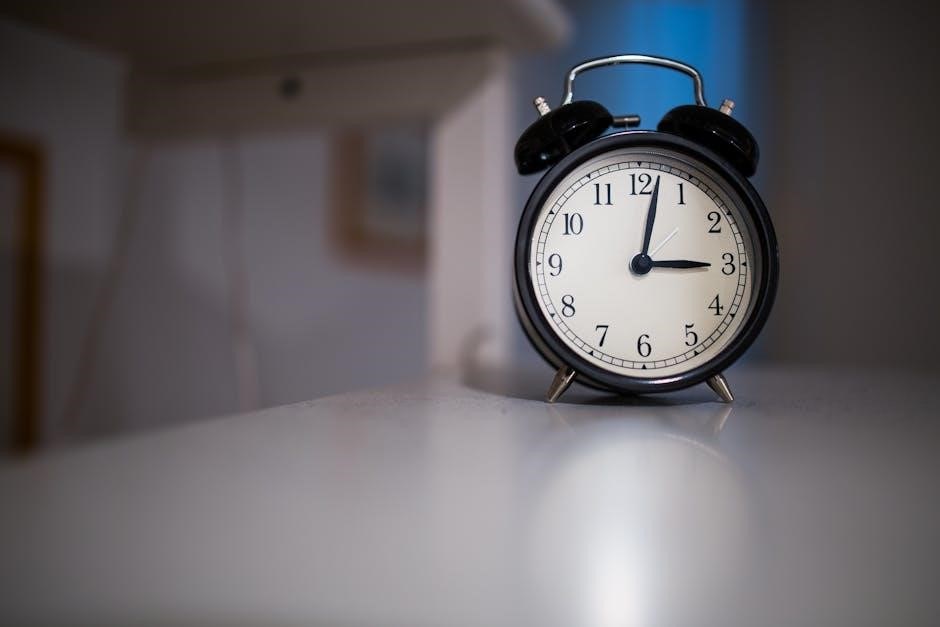
Pay close attention to AM/PM indicators, ensuring the correct time of day is displayed. Some clocks automatically synchronize time via radio signals or internet connectivity; consult your clock’s specific instructions for these features. Accurate time setting is crucial for reliable alarm operation.
Programming the Alarm
Activating the alarm function typically involves pressing a dedicated ‘Alarm Set’ or ‘Alarm’ button. This initiates alarm programming mode, allowing you to specify the desired wake-up time. Use the ‘Hour’ and ‘Minute’ buttons (or dials) to set the alarm hour and minute, again observing AM/PM settings.
Confirm your settings by pressing ‘Set’ or ‘Alarm’ again. Many clocks allow multiple alarms; ensure you’re programming the correct one. Modern smart alarms can be managed via smartphone apps, offering greater flexibility and control.
Setting the Alarm Time
To set the alarm time, first, enter alarm programming mode – usually by pressing an ‘Alarm Set’ button. Utilize the hour and minute buttons, or rotating dials, to accurately input your desired wake-up time. Pay close attention to the AM/PM indicator to avoid setting the alarm for the wrong part of the day.
Confirm your selection by pressing the ‘Set’ or ‘Alarm’ button once more. Some devices display a confirmation icon. For smart alarms, use the associated app to set the time, offering precise control and multiple alarm options.
Adjusting Alarm Volume
Most alarm clocks feature dedicated buttons or sliders to control the alarm volume. Incrementally increase or decrease the volume to a comfortable level – loud enough to wake you, but not jarringly disruptive. Digital clocks often display a volume level indicator, providing visual feedback.
For smart alarms, volume adjustments are typically managed through the companion app. Explore the app’s settings to find the alarm volume control. Ensure the volume is sufficient to override ambient noise. Test the alarm at your desired volume to confirm its effectiveness.
Alarm Features
Modern alarm clocks extend beyond simply sounding an alert; they offer features designed to enhance the waking experience. The ubiquitous ‘snooze’ function allows for brief, repeated delays before fully waking, providing extra rest. Repeat options cater to varied schedules – daily alarms, weekday-only settings, or customized weekend configurations.
Advanced models incorporate gradually increasing volume, mimicking a natural sunrise, or play soothing sounds. These features aim to reduce the shock of abrupt awakening, promoting a more pleasant start to the day. Explore your clock’s settings to personalize these options.
Snooze Function

The snooze function is a nearly universal feature on modern alarm clocks, offering a temporary reprieve from waking. Upon the initial alarm sound, activating snooze silences the alert for a pre-determined interval – typically nine minutes, though customizable options exist on many models.
While convenient, excessive snoozing can disrupt sleep cycles and lead to grogginess. It’s best used sparingly to ease into wakefulness, rather than as a habitual delay tactic. Consider the impact on your alertness before repeatedly hitting that snooze button!
Repeat Options (Daily, Weekdays, Weekends)
Most alarm clocks offer flexible repeat settings, allowing you to customize when your alarm sounds. Common options include ‘Daily,’ triggering the alarm every day of the week. ‘Weekdays’ activates the alarm only Monday through Friday, ideal for work or school schedules.
‘Weekends’ sets the alarm for Saturday and Sunday, while custom settings permit selecting specific days. These options ensure the alarm only interrupts sleep when necessary, accommodating varied routines. Properly configuring repeat settings is crucial for a consistent and personalized wake-up experience.
Advanced Features (Smart Alarm Clocks)
Smart alarm clocks integrate seamlessly with modern technology, offering features beyond basic timekeeping. Voice control integration, like Google Assistant, allows hands-free alarm setting and management. Smart home connectivity enables synchronization with other devices, potentially adjusting lights or temperature upon waking.
These clocks often learn sleep patterns for optimized wake-up times and can play music or news. Some models offer personalized soundscapes or gradually increasing light to mimic sunrise. Utilizing these advanced features enhances the waking experience, promoting a more natural and refreshed start to the day.
Voice Control Integration
Modern smart alarm clocks frequently boast voice control integration, primarily through assistants like Google Assistant. This allows users to set, modify, or cancel alarms using simple voice commands, eliminating the need for manual button presses – a convenient feature, especially when drowsy.
You can ask your assistant to manage alarms on Android phones, speakers, and smart displays. This hands-free operation extends to managing multiple alarms and checking their status. Voice control streamlines the alarm setting process, offering accessibility and ease of use for all users.
Smart Home Connectivity
Many advanced alarm clocks now integrate seamlessly with broader smart home ecosystems. This connectivity enables features like synchronized waking routines, where the alarm triggers other smart devices – such as gradually brightening lights or starting the coffee maker – to create a more natural and pleasant wake-up experience.
Smart displays can change alarm default settings, like tone or duration. Furthermore, some systems allow alarms to be controlled via a central smart home hub, offering unified management of all connected devices. This interconnectedness elevates the alarm clock beyond a simple time-telling device.
Troubleshooting Common Issues
Encountering problems with your alarm clock can be frustrating. A common issue is the alarm failing to sound; ensure the volume isn’t muted and the alarm is properly programmed. Incorrect time displays often indicate a low battery or a synchronization problem – check the power source and attempt to reset the clock.
If using a smart alarm, verify its connection to your network. For persistent issues, consult the manufacturer’s guide or online support resources. Simple steps like restarting the device can often resolve minor glitches, restoring reliable functionality.
Alarm Not Sounding
If your alarm clock fails to emit sound, several factors could be at play. First, verify the volume isn’t set to minimum or muted – a surprisingly common oversight! Ensure the alarm is correctly enabled and programmed for the desired time. Check the power source; low batteries or a disconnected power adapter will prevent operation.
For smart alarms, confirm network connectivity and app permissions. A malfunctioning speaker or a software glitch might also be the cause. Try resetting the device or consulting the user manual for specific troubleshooting steps.
Incorrect Time Display
An inaccurate time display on your alarm clock can lead to missed alarms and disrupted schedules. Initially, confirm the clock is set to the correct time zone and daylight saving time settings. If it’s a battery-powered clock, a low battery can cause time drift or a complete reset.
For digital clocks, check for interference from other electronic devices. Resetting the clock to factory defaults and re-entering the correct time often resolves the issue. Smart clocks rely on network synchronization; ensure a stable internet connection.
Maintaining Your Alarm Clock
Regular maintenance ensures your alarm clock’s longevity and reliable performance. For mechanical clocks, avoid exposure to dust and moisture, and occasionally lubricate moving parts as recommended by the manufacturer. Digital and smart clocks require gentle cleaning with a soft, dry cloth – avoid harsh chemicals or liquids.
If your clock uses batteries, replace them promptly when the low battery indicator appears. This prevents inaccurate timekeeping or alarm failures. Inspect the clock’s casing for any damage and address it immediately to prevent further issues.
Cleaning Instructions
To maintain your alarm clock’s appearance and functionality, regular cleaning is essential. Always disconnect the clock from its power source before cleaning – remove batteries or unplug the device. Use a soft, dry microfiber cloth to gently wipe down the exterior casing, removing dust and fingerprints.
For stubborn grime, lightly dampen the cloth with water, ensuring it’s not dripping wet. Avoid abrasive cleaners, solvents, or harsh chemicals, as these can damage the finish. Pay attention to crevices and buttons, carefully cleaning around them. Dry the clock thoroughly before reconnecting it to power.
Battery Replacement (if applicable)
If your alarm clock operates on batteries, replace them when the low battery indicator appears or the time display becomes dim. Refer to the clock’s base or battery compartment for the correct battery type and quantity – typically AA or AAA.
Open the battery compartment, noting the polarity (+ and -) markings. Remove the old batteries and insert the new ones, ensuring correct alignment. Close the compartment securely. Dispose of used batteries responsibly, following local regulations. Incorrect battery installation can damage the clock or prevent it from functioning properly.
Safety Precautions
Always unplug the alarm clock before cleaning to prevent electric shock. Do not immerse the clock in water or any other liquid. Keep the clock away from excessive moisture or humidity.
Avoid placing the clock near heat sources or direct sunlight. Do not attempt to repair the clock yourself; contact a qualified technician for any repairs. Ensure the power cord is not damaged and is properly connected to a grounded outlet. Keep small parts, like batteries, away from children to prevent choking hazards.
Alarm Clock Companies: A Historical Perspective (Westclox)
Westclox, founded in 1887, significantly shaped the alarm clock industry. Their 1908 patent for the “Big Ben” alarm clock, recognizable by its bell-back design, revolutionized waking up routines. This clock’s reliability and affordability made it a household staple for decades.

Westclox continued innovating, producing various clock styles throughout the 20th century. They transitioned from mechanical movements to electric and eventually digital technologies, adapting to changing consumer needs. The company’s legacy demonstrates a commitment to quality and design, influencing the evolution of timekeeping.
The Evolution of Waking Up: From Knocker-Ups to Modern Alarms
Historically, before reliable timekeeping devices, ‘knocker-ups’ were employed to rouse individuals for work. These individuals literally knocked on bedroom windows to ensure timely awakenings, a practice fading with the advent of affordable alarm clocks in the early 1900s.
The transition from human wake-up calls to mechanical and then electronic alarms represents a significant technological leap. Today’s smart alarms, integrating voice control and smart home connectivity, continue this evolution, offering personalized and increasingly sophisticated waking experiences.
Setting Alarms on Wearable Devices (Fitbit, Pixel Watch)
Modern wearable devices, such as Fitbit and Google Pixel Watch series, offer convenient alarm functionalities directly on your wrist. This eliminates the need to reach for a phone or traditional alarm clock, providing a subtle and personalized wake-up experience.
Alarms are typically set through the companion mobile app or directly on the device interface. Users can customize alarm times, repetition patterns, and even choose vibration intensity for a gentle awakening. These features cater to individual sleep preferences and promote a more natural wake-up cycle.
Understanding Alarm Input/Output Interfaces (ALARM IN/ALARM OUT)
ALARM IN and ALARM OUT are interfaces commonly found in security systems integrated with alarm clocks or monitoring devices. ALARM IN signifies an input, receiving signals from detectors when an alarm is triggered, initiating a response like camera movement to a preset position.
Conversely, ALARM OUT represents an output, sending a signal to external devices upon alarm activation. This allows for broader system integration, potentially activating lights or notifications. Understanding these interfaces is crucial for advanced security setups and customized alarm responses.