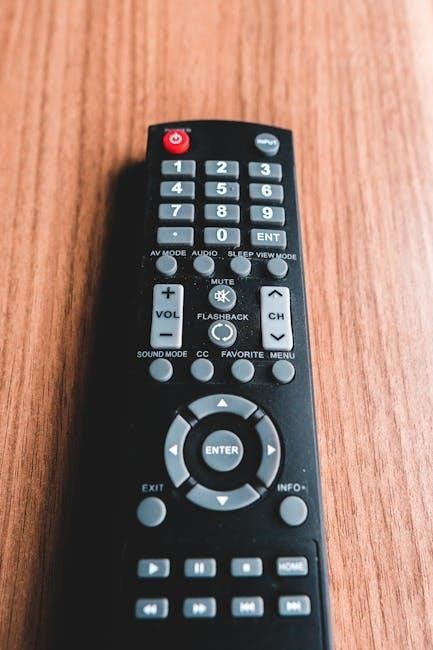
The TENS 3000 is an analog TENS therapy unit designed for symptomatic pain relief. It utilizes electrical stimulation to excite sensory nerves, potentially impacting pain perception pathways.
What is a TENS Unit?
A TENS unit, or Transcutaneous Electrical Nerve Stimulation unit, is a small, battery-operated device used for pain management. It delivers low-voltage electrical currents through the skin to stimulate nerves. This stimulation aims to disrupt pain signals traveling to the brain, offering relief from various conditions like osteoarthritis, tendinitis, and fibromyalgia.
These units are non-invasive and generally considered safe when used correctly. The TENS 3000 specifically employs analog technology, offering a straightforward approach to pain relief by targeting sensory nerves and potentially activating the body’s natural pain-reducing mechanisms.
Understanding Transcutaneous Electrical Nerve Stimulation (TENS)
Transcutaneous Electrical Nerve Stimulation (TENS) is a therapeutic technique involving the application of low-voltage electrical currents via electrodes on the skin. It primarily focuses on alleviating symptomatic pain by stimulating sensory nerves. This stimulation can trigger two key physiological mechanisms: the pain gate control theory and the opioid system.
The exact mechanisms aren’t fully understood, but TENS is believed to disrupt pain signal transmission along the spinal cord. The TENS 3000 utilizes this principle to provide customizable pain relief, offering various modes to target different nerve pathways.

Key Features of the TENS 3000
The TENS 3000 boasts analog technology for precise control and is proudly manufactured by Richmar, ensuring quality and reliability in pain management therapy.
Analog Technology Explained
The TENS 3000 utilizes analog technology, differing from digital units by employing continuously variable controls. This means adjustments to intensity and pulse rate are smooth and precise, offering a nuanced therapeutic experience. Unlike digital signals which are discrete, analog signals are continuous, allowing for finer customization to individual pain needs.
This approach provides users with greater control over their therapy, potentially leading to more effective pain relief. The analog design contributes to the unit’s simplicity and ease of use, making it accessible for a wide range of individuals seeking non-pharmacological pain management solutions.
Richmar as the Manufacturer
Richmar is the established manufacturer of the TENS 3000 stimulator, a company dedicated to providing quality therapeutic devices. They publish the official user manual, ensuring users have access to comprehensive instructions and safety guidelines. Richmar does not guarantee the manual’s contents but reserves the right to make updates or revisions as needed.
Choosing a device from a reputable manufacturer like Richmar offers assurance of quality control and adherence to industry standards. Their commitment to patient care is reflected in the design and functionality of the TENS 3000, aiming for effective and safe pain relief.
Setting Up Your TENS 3000
Proper setup involves verifying package contents and correctly installing batteries before initial use, as detailed in the instruction manual provided by Richmar.
Package Contents
Upon opening your TENS 3000 package, carefully inspect all included items. You should find the TENS 3000 stimulator unit itself, designed and manufactured by Richmar. The package also contains electrode pads, essential for delivering the electrical impulses to the targeted area.
Additionally, you’ll receive lead wires to connect the electrode pads to the unit. A battery (or batteries, depending on the model) is included to power the device. Crucially, ensure the package contains this instruction manual for safe and effective operation. If any items are missing or appear damaged, contact Richmar customer support immediately for assistance.
Battery Installation
To install batteries in your TENS 3000, locate the battery compartment, typically on the back of the unit. Gently slide off the battery cover – do not force it. Insert the correct type and number of batteries, observing the polarity markings (+ and -) inside the compartment.
Incorrect battery installation can prevent the unit from powering on or damage the device. Ensure the batteries are securely seated. Replace the battery cover until it clicks firmly into place. Regular battery checks are recommended to maintain consistent performance. Use only recommended battery types for optimal results.

Using the TENS 3000: A Step-by-Step Guide
Begin by applying electrode pads to the skin, adjusting intensity gradually, and selecting a suitable mode for personalized pain relief with the TENS 3000.
Electrode Pad Placement
Proper electrode placement is crucial for effective TENS therapy. Generally, pads should be applied to areas of pain or on either side of the painful area. Ensure the skin is clean and dry before application for optimal adhesion.
Experiment with different placements to find what works best for your specific pain. Avoid placing pads over open wounds, irritated skin, or directly over the spine.
Consider the pain pattern; for localized pain, place pads directly over the area, while for radiating pain, position them along the nerve pathway. Always refer to a healthcare professional for guidance if unsure.
Intensity Adjustment
Begin with the intensity control at its lowest setting. Gradually increase the intensity until you feel a comfortable tingling sensation, but not a painful shock. The goal is to find a level that provides noticeable pain relief without causing discomfort.
Avoid rapidly increasing the intensity, as this can be unpleasant.
Adjust the intensity as needed throughout the session. Pain levels can fluctuate, so you may need to fine-tune the stimulation. If the sensation becomes too strong, immediately decrease the intensity. Always prioritize comfort and safety during use.
Mode Selection
The TENS 3000 likely offers various modes, each designed to target different pain mechanisms. Experiment with these modes to determine which provides the most effective relief for your specific condition. Different modes stimulate nerves in varying patterns.
Consider the type of pain you’re experiencing. Some modes are better suited for acute pain, while others are more effective for chronic conditions.
Refer to the full user manual for detailed explanations of each mode and its intended use. Start with a lower intensity when switching modes and adjust accordingly.

TENS Therapy and Pain Relief Mechanisms
TENS therapy aims to relieve pain by exciting sensory nerves, potentially stimulating the pain gate mechanism and/or the body’s opioid system for relief.
The Pain Gate Theory
The Pain Gate Theory proposes that a “gate” exists in the spinal cord, controlling the transmission of pain signals to the brain. TENS units, like the TENS 3000, can potentially influence this gate. By delivering electrical impulses, TENS stimulates larger-diameter nerve fibers.
This stimulation may “close” the gate, reducing the perception of pain from smaller-diameter pain fibers. Essentially, the non-painful input competes with and can diminish the painful input, offering symptomatic relief. The intensity and frequency of the TENS unit’s electrical stimulation are crucial for effectively modulating this gate control system.
Opioid System Stimulation
TENS therapy, including with the TENS 3000, is believed to potentially stimulate the body’s natural opioid system. This system involves the release of endorphins, which are natural pain relievers. The electrical stimulation from the TENS unit may trigger this release, contributing to pain reduction.
Lower frequency TENS settings are often associated with this opioid-related pain relief mechanism. While not a replacement for opioid medications, this stimulation offers a non-pharmacological approach to managing discomfort. The exact mechanisms are still being researched, but the potential for opioid system activation is significant.

Safety Precautions and Contraindications
Always follow safety guidelines when using the TENS 3000. Do not use it on the head, neck, or over the heart without consulting a healthcare professional.
General Safety Guidelines
Before using the TENS 3000, carefully read the entire instruction manual to understand its operation and safety precautions; Ensure the unit is dry and undamaged before each use. Never apply electrodes to broken skin or areas with infections.
Keep the intensity level at a comfortable setting, gradually increasing it until you feel a noticeable, but not painful, sensation. Do not exceed the recommended duration of treatment as specified by your healthcare provider. Avoid using the device while sleeping or driving.
Regularly inspect the electrode pads for wear and tear, replacing them when necessary to maintain optimal performance and skin safety. If you experience any adverse reactions, discontinue use immediately and consult a medical professional.
Conditions Where TENS Should Not Be Used
Do not use the TENS 3000 if you have a pacemaker or other implanted electronic device, as it may interfere with its function. Avoid use during pregnancy, especially on the abdomen or lower back, without consulting your doctor.
Individuals with epilepsy or heart conditions should also avoid TENS therapy. Do not apply electrodes over the eyes, carotid sinus, or directly on the front of the neck. Avoid using TENS on areas of skin that lack normal sensation.
If you have deep vein thrombosis (DVT) or active cancer, consult your physician before using this device. Always seek medical advice if your pain worsens or doesn’t improve with treatment.
Troubleshooting Common Issues
If the unit lacks power, check the battery installation and ensure it’s correctly inserted. Weak stimulation may indicate low battery power or improper electrode placement.
No Power
If your TENS 3000 unit fails to power on, the first step is to verify the battery installation. Ensure the batteries are inserted with the correct polarity, matching the positive (+) and negative (-) markings inside the battery compartment.
Confirm that the batteries are fresh and have sufficient charge. Even seemingly new batteries can sometimes be defective. Try replacing them with a brand new set. Also, inspect the battery contacts within the unit for any signs of corrosion or debris, which could impede electrical connection. Clean them gently if necessary.
Finally, double-check that the on/off switch is fully engaged in the ‘on’ position. A partially engaged switch might not establish a complete circuit.
Weak Stimulation
Experiencing weak stimulation with your TENS 3000 often indicates a problem with electrode pad contact or battery strength. First, ensure the electrode pads are securely adhered to clean, dry skin. Poor adhesion significantly reduces current transfer.
Secondly, verify the batteries are fresh; low battery power directly impacts stimulation intensity. If the pads are new and the batteries are strong, slowly increase the intensity using the control knob. Check that the lead wires are firmly connected to both the unit and the electrode pads.
Finally, consider replacing the electrode pads if they’ve been used extensively.
Maintenance and Care
Regular cleaning with a damp cloth ensures longevity. Replace electrode pads when they lose adhesiveness, maintaining optimal current delivery for effective pain management.
Cleaning the Unit
To ensure proper functionality and hygiene, regularly clean your TENS 3000 unit. Always begin by disconnecting the unit from any power source and removing the batteries before cleaning. Use a slightly damp, soft cloth to gently wipe the exterior surfaces of the device. Avoid using harsh chemicals, abrasive cleaners, or excessive amounts of water, as these could damage the internal components.
Do not immerse the unit in water or any other liquid. Pay particular attention to cleaning around the control knobs and the electrode connectors. After cleaning, ensure the unit is completely dry before reinserting the batteries and using it again. Proper cleaning contributes to the longevity and safe operation of your TENS 3000.
Electrode Pad Replacement
Over time, electrode pads lose their adhesiveness and conductivity, requiring replacement for optimal TENS therapy. Regularly inspect the pads for signs of wear, peeling, or diminished stickiness. When replacing, ensure the unit is switched off and disconnected from the power source. Gently remove the old pads and clean the skin thoroughly before applying new ones.
Use only high-quality replacement pads specifically designed for TENS units. Proper adhesion is crucial for effective stimulation. Store unused pads in a cool, dry place to maintain their effectiveness; Frequent replacement ensures consistent pain relief and prevents skin irritation.

Understanding the Control Panel
The TENS 3000 features an on/off switch, an intensity control knob, and a mode selector for customizing your therapy session based on your needs.
On/Off Switch
The On/Off switch, prominently located on the TENS 3000 control panel, is your primary control for initiating and terminating therapy. A clear “On” position activates the unit, allowing electrical stimulation to begin, while the “Off” position immediately ceases all output.
Ensure the switch is in the “Off” position before applying or removing electrode pads to prevent unexpected stimulation. This simple action safeguards against discomfort and ensures controlled operation. Always double-check the switch position before each use, and remember to turn the unit off when not actively in a therapy session to conserve battery life.
Intensity Control Knob
The Intensity Control Knob regulates the strength of the electrical stimulation delivered by the TENS 3000. Rotating the knob clockwise increases the intensity, while turning it counterclockwise decreases it. Begin with the lowest intensity setting and gradually increase it until a comfortable, yet noticeable, sensation is achieved.
Avoid setting the intensity too high, as this can lead to muscle fatigue or skin irritation. The optimal intensity level varies between individuals; find what provides effective pain relief without causing discomfort. Monitor your sensation throughout the therapy session and adjust accordingly.
Mode Selector
The Mode Selector allows you to choose different patterns of electrical stimulation. These modes target varying physiological mechanisms related to pain relief, such as the pain gate theory or opioid system stimulation. Experimenting with modes can help identify the most effective setting for your specific pain condition.
Different modes offer variations in pulse rate and width. Consult with a healthcare professional to determine which mode is best suited for your needs. Start with a lower intensity when switching modes and gradually increase it to a comfortable level.

Technical Specifications
The TENS 3000 operates on a standard power source and delivers a specific waveform type for effective stimulation. Detailed specifications are found within.
Power Source
The TENS 3000 is designed to operate using a readily available power source, ensuring convenient use for pain management. Specifically, this unit requires a 9-volt battery to function correctly. It’s crucial to utilize a fresh, high-quality battery for optimal performance and consistent stimulation levels.
Always ensure the battery is installed with the correct polarity, as indicated within the battery compartment. Using a depleted or incorrectly installed battery can significantly reduce the unit’s effectiveness or prevent it from powering on altogether. Regular battery checks are recommended.
Waveform Type
The TENS 3000 utilizes an analog waveform for electrical stimulation, a key characteristic of this particular unit. This analog technology delivers a consistent and predictable electrical current, differing from digital TENS units which may offer more customizable waveform options. The specific waveform produced is designed to effectively stimulate sensory nerves.
This stimulation aims to activate the body’s natural pain-relieving mechanisms, such as the pain gate control theory and opioid system stimulation. The consistent analog waveform contributes to the unit’s reliable performance in providing symptomatic pain relief.
Warranty Information
Richmar provides warranty details for the TENS 3000, though specific terms aren’t fully detailed in available documentation. Contact Richmar directly for complete coverage information.
Richmar Warranty Details
Richmar, as the manufacturer of the TENS 3000 Stimulator, offers a warranty to protect against potential defects in materials and workmanship. However, readily available documentation doesn’t specify the exact duration or comprehensive coverage details.
Customers are advised to retain their proof of purchase, as this is typically required to initiate a warranty claim. It’s crucial to contact Richmar directly – through their official website or customer service channels – to obtain the most accurate and up-to-date information regarding their warranty policy for the TENS 3000.
The warranty likely excludes damage resulting from misuse, accidents, or unauthorized modifications.

Frequently Asked Questions (FAQ)
Q: What does TENS stand for? A: Transcutaneous Electrical Nerve Stimulation. It’s a therapy using low-voltage electrical currents for pain relief.
Q: How does TENS relieve pain? A: It’s believed to disrupt pain signals to the spinal cord or affected area, potentially stimulating the pain gate mechanism and/or opioid system.
Q: Is the TENS 3000 easy to use? A: Yes, it features a simple analog control panel for adjusting intensity and mode. Refer to the manual for detailed step-by-step instructions.
Q: Where can I find the full user manual? A: Search online for “TENS 3000 manual” or contact Richmar directly.