Cuisinart Grind & Brew Manual: A Comprehensive Guide
This manual details operation of Cuisinart’s Grind & Brew coffeemakers, including models like the DGB-600BCW, offering a complete resource for optimal brewing.
Welcome to the world of freshly ground and brewed coffee! The Cuisinart Grind & Brew Automatic Coffeemaker combines the convenience of automatic operation with the superior taste of whole bean coffee. This appliance grinds beans immediately before brewing, maximizing flavor and aroma. Designed for ease of use, it features programmable functions, adjustable grind control, and a thermal carafe to keep coffee hot for hours.
Whether you’re a seasoned coffee connoisseur or simply seeking a more flavorful morning cup, this guide will help you unlock the full potential of your Cuisinart Grind & Brew. Explore its features, learn proper maintenance, and troubleshoot common issues to enjoy consistently delicious coffee.
Understanding Your Model: DGB-600BCW & Similar
The Cuisinart DGB-600BCW is a popular model within the Grind & Brew series, known for its 10-cup thermal carafe and fully automatic operation. Similar models, like the DGB-550BKU, share core functionalities but may differ in design or specific features. Key components include the bean hopper, burr grinder, filter basket, water reservoir, and control panel.
Understanding these parts is crucial for operation and maintenance. The burr grinder ensures consistent grind size, impacting coffee flavor. The thermal carafe maintains temperature without a hot plate. Familiarize yourself with the control panel buttons for programming, brew size selection, and operation.
Setting Up Your Cuisinart Grind & Brew
Proper setup involves initial cleaning, configuring the water reservoir and filter basket, and ensuring all components are correctly assembled for optimal performance;
Initial Cleaning and Preparation
Before your first brew, thoroughly clean all removable parts – the carafe, filter basket, bean hopper, and grind chamber. Wash these components with warm, soapy water, then rinse completely. Wipe down the exterior of the coffee maker with a damp cloth.
Run a full brewing cycle with water only, without coffee grounds, to flush out any manufacturing residue. This initial cycle prepares the machine for optimal flavor extraction. Discard the water from the carafe after this cleaning cycle.
Ensure all parts are dry before reassembling. This initial preparation guarantees a clean, fresh-tasting first pot of coffee and extends the lifespan of your Cuisinart Grind & Brew.
Water Reservoir and Filter Basket Setup
The water reservoir is clearly marked with cup measurements, allowing for precise filling based on your desired brew size. Use fresh, filtered water for the best-tasting coffee. Ensure the reservoir is securely seated in its base before operation.
Place a paper filter (size #4) into the filter basket, or utilize the included permanent filter. The permanent filter offers convenience and reduces waste, but may allow some fine grounds to pass through.
Position the filter basket correctly into the brew chamber, ensuring it clicks into place. Proper alignment is crucial for preventing leaks and ensuring a successful brewing process. Double-check these steps before adding coffee beans.
Grinding Your Coffee Beans
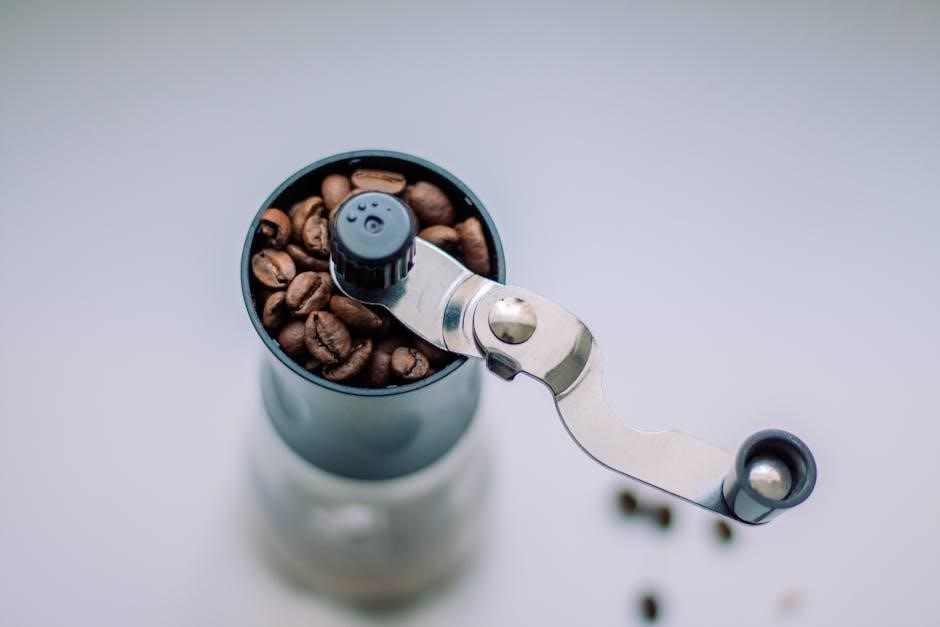
Utilize whole bean coffee for the freshest flavor; the Cuisinart Grind & Brew automatically grinds the beans immediately before brewing, maximizing aroma and taste.
Bean Hopper Capacity and Types of Beans
The Cuisinart Grind & Brew’s bean hopper typically holds around half a pound of coffee beans, providing convenience for multiple brewing cycles without frequent refills. It’s designed to accommodate a variety of bean types, including Arabica, Robusta, and blends.
However, avoid oily beans, as they can potentially clog the grinder. For best results, use fresh, dry beans. Pre-ground coffee is not recommended, as the machine’s core function is to grind whole beans immediately before brewing, ensuring optimal flavor extraction. Regularly check the hopper for any bean build-up or debris to maintain consistent grinding performance and prevent jams.
Adjusting Grind Settings: Coarse to Fine
The Cuisinart Grind & Brew offers adjustable grind settings, allowing you to customize the coffee’s flavor profile. A coarser grind is ideal for French presses, while a medium grind suits drip coffee makers like this one. Finer grinds are best for espresso machines, though this model isn’t designed for that.
Experiment with different settings to find your preferred taste. Start with the medium setting and adjust incrementally. Remember, a finer grind extracts more flavor, potentially leading to bitterness if over-extracted. A coarser grind results in a milder brew. The grind control dial allows precise adjustments for optimal results.
Troubleshooting: Grinder Jamming
If the grinder jams, do not attempt to force it. First, unplug the Cuisinart Grind & Brew for safety. Use the included scoop brush to carefully remove any lodged beans from the grinding chamber. Ensure no foreign objects, like small stones, are present in the bean hopper.
Avoid overfilling the hopper, as this can contribute to jamming. If jamming persists, try using a slightly coarser grind setting. Regularly cleaning the grinding assembly, as detailed in the maintenance section, can also prevent future issues. Contact Cuisinart support at 1-800-726-0190 if problems continue.
Brewing Your Coffee
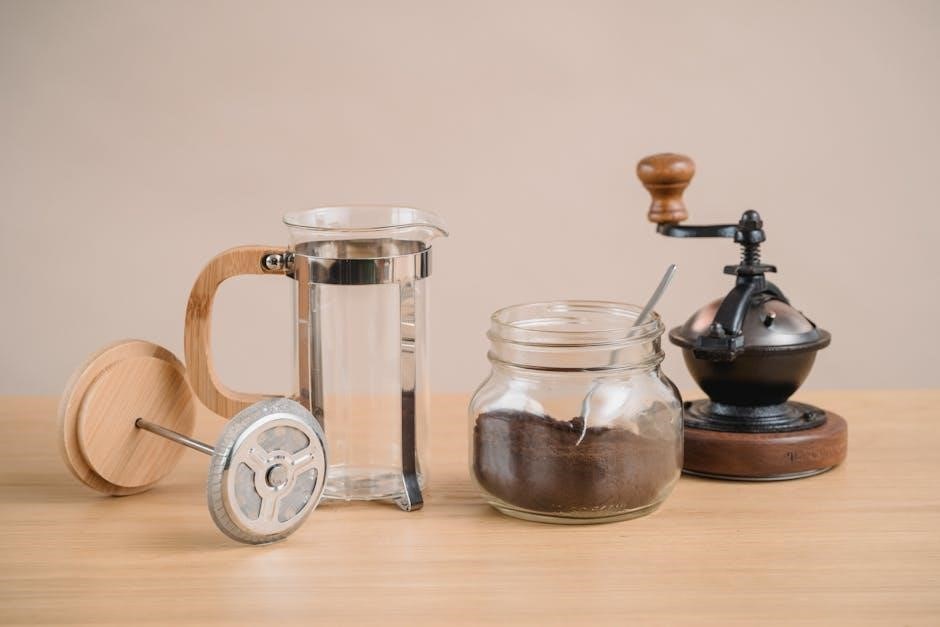
The Cuisinart Grind & Brew offers customizable brewing, with options for selecting brew size (1-10 cups) and utilizing the convenient Brew Now/Later function.
Selecting Brew Size: Cups 1-10
Your Cuisinart Grind & Brew coffeemaker allows you to precisely control the amount of coffee brewed, ranging from a single cup to a full ten-cup carafe. To select your desired brew size, simply press the “Brew Size” button repeatedly. Each press cycles through the available options, indicated by illuminated cup icons on the control panel.
The display will clearly show how many cups you’ve selected. Remember that the cup markings refer to standard 5oz cups. Adjust the selection based on your preferred strength and serving size. This feature ensures you’re not wasting coffee by brewing more than you need, or conversely, not brewing enough to satisfy your craving!
Using the Brew Now/Later Function
The Brew Now/Later function offers convenient flexibility for your coffee routine. To brew immediately, press the “Brew” button once. For delayed brewing, press the “Brew” button, then use the “Hour” and “Minute” buttons to set the desired start time. Ensure the clock is accurately set beforehand for proper operation.
Once programmed, the coffeemaker will automatically begin grinding and brewing at the specified time. The “Auto On” indicator light will illuminate, confirming the delayed brew is active. This feature is perfect for waking up to a fresh pot of coffee or having it ready when you arrive home!
Brew Pause Feature: Interruption and Restart
Cuisinart’s Brew Pause feature allows you to briefly interrupt the brewing cycle to pour a cup mid-brew without making a mess. Simply remove the carafe from the warming plate; brewing will automatically pause. Replace the carafe within 60 seconds to resume brewing seamlessly.
This feature is ideal for those eager for a quick cup before the entire pot is finished. However, prolonged removal of the carafe may affect the coffee’s flavor and temperature. Always ensure the carafe is properly positioned to restart the brewing process efficiently and maintain optimal results.
Advanced Features & Customization
Explore programmable settings like the clock and automatic shut-off, plus the Bold Brew control for customizing coffee strength to your precise preference.
Automatic Shut-Off Function
The Cuisinart Grind & Brew incorporates an automatic shut-off feature for enhanced safety and energy conservation. This function automatically turns off the coffee maker after a period of inactivity, typically two hours after the brewing cycle is complete. This prevents overheating and provides peace of mind.
The duration of the shut-off period is pre-programmed and cannot be adjusted by the user. It’s a standard safety measure built into the appliance. Always ensure the unit is completely cooled before cleaning or storing; This feature contributes to the longevity of your Cuisinart coffee maker and reduces potential hazards.
Programmable Features: Setting the Clock
Accurate time setting is crucial for utilizing the Cuisinart Grind & Brew’s programmable features, such as the Brew Later function. To set the clock, press and hold the ‘Clock’ button until the hour digits flash. Use the ‘Hour’ and ‘Minute’ buttons to adjust the time accordingly. Press the ‘Clock’ button again to confirm the hour setting, then repeat to set the minutes.
Ensure you observe AM/PM indicators during setup. A correctly set clock enables precise scheduling of your coffee brewing, ensuring a fresh pot is ready when you desire. Refer to your model’s specific instructions for detailed guidance on clock programming.
Bold Brew Control for Stronger Coffee
The Bold Brew Control feature allows you to customize the coffee’s strength and flavor profile. Activating this function increases the amount of coffee grounds used during the brewing process, resulting in a richer, more robust cup. To engage Bold Brew, simply press the corresponding button before initiating the brew cycle.
This is ideal for those who prefer a bolder taste or are using lighter roast beans. Experiment with the Bold Brew setting to find your preferred strength. Remember that using this feature will consume slightly more coffee grounds per pot.
Cleaning and Maintenance
Regular cleaning ensures optimal performance and longevity of your Cuisinart Grind & Brew. Daily tasks and periodic descaling are crucial for fresh coffee.
Daily Cleaning: Carafe, Filter Basket, and Hopper
Consistent daily cleaning is vital for maintaining the quality of your brewed coffee and extending the life of your Cuisinart Grind & Brew. After each use, thoroughly wash the carafe, lid, and filter basket with warm, soapy water. These components are typically dishwasher safe (top rack recommended), but hand washing can prevent potential damage.
The bean hopper should also be emptied and wiped clean daily to remove any residual coffee oils and grounds. This prevents clumping and ensures consistent grinding. Avoid using abrasive cleaners, as they can scratch the surfaces. A damp cloth is usually sufficient. Regular attention to these areas guarantees a fresh and flavorful coffee experience every time.
Descaling Your Cuisinart Grind & Brew
Regular descaling is crucial to remove mineral buildup that can affect performance and coffee taste. Cuisinart recommends descaling every 3-6 months, depending on water hardness. Use a commercial descaling solution specifically designed for coffee makers, or a mixture of equal parts white vinegar and water.
Pour the solution into the water reservoir and run a full brew cycle without coffee grounds. Follow with two to three cycles of fresh water to thoroughly rinse the system. This process removes calcium deposits, ensuring optimal water flow and brewing temperature. Ignoring descaling can lead to reduced efficiency and potential damage.
Cleaning the Grinding Assembly
The grinding assembly requires periodic cleaning to maintain optimal performance and prevent oil buildup. Always unplug the coffee maker before cleaning. Remove the bean hopper and thoroughly wipe it with a dry cloth. Use the provided scoop brush to gently remove any remaining coffee grounds from the grinding chamber.
Avoid using water or detergents directly on the grinding burrs. A dry brush is sufficient for most cleaning needs. For stubborn residue, a slightly damp cloth can be used, ensuring it’s completely dry before reassembly. Regular cleaning ensures consistent grind size and prevents flavor contamination.

Troubleshooting Common Issues
This section addresses frequent problems, like the unit not powering on, weak coffee, or water leaks, providing solutions for a seamless brewing experience.
Coffee Maker Not Turning On
If your Cuisinart Grind & Brew isn’t powering on, first verify the unit is securely plugged into a working electrical outlet. Test the outlet with another device to confirm functionality. Check the circuit breaker or fuse box to ensure the circuit hasn’t tripped or blown.
Ensure the water reservoir is properly seated; a misaligned reservoir can prevent operation. Also, confirm the brew pause feature hasn’t been accidentally activated, as this can sometimes interfere with startup. If these steps don’t resolve the issue, contact Cuisinart customer support at 1-800-726-0190 for further assistance.
Weak or Bitter Coffee Troubleshooting
For weak coffee, increase the amount of coffee grounds used, or select a finer grind setting. Ensure you’re using fresh, quality coffee beans. Conversely, bitter coffee often results from using too fine a grind, or over-extraction. Try a coarser grind setting and reduce brewing time if possible.
Regular descaling is crucial, as mineral buildup can affect coffee flavor. Also, confirm the filter basket is clean and properly seated. Experiment with the Bold Brew control to adjust coffee strength. If issues persist, contact Cuisinart support at 1-800-726-0190.
Water Leaking from the Unit
If water leaks, first ensure the water reservoir is correctly seated and not overfilled. Check the carafe is properly positioned on the warming plate. Inspect the filter basket for correct placement and that it isn’t overflowing with grounds. A clogged or damaged brew basket can also cause leaks.
Descaling the unit regularly prevents mineral buildup that can lead to leaks. Examine the unit for any visible cracks or damage. If the problem continues, discontinue use and contact Cuisinart customer support at 1-800-726-0190 for assistance.
Safety Precautions
Always follow electrical safety guidelines and use proper handling techniques when operating your Cuisinart Grind & Brew to prevent hazards and ensure longevity.
Electrical Safety Guidelines
To ensure safe operation, always verify your outlet voltage matches the appliance’s rating (120V). Never operate the Cuisinart Grind & Brew with a damaged cord or plug; seek immediate repair or replacement. Avoid using extension cords, but if necessary, ensure it’s appropriately rated for the appliance’s wattage.
Do not immerse the appliance, cord, or plug in water or other liquids to prevent electric shock. Unplug the coffee maker from the outlet when not in use and before cleaning. Never pull the cord to disconnect; grasp the plug instead. Keep the cord away from hot surfaces. This appliance is intended for household use only; avoid commercial applications.
Proper Usage and Handling
Always operate the Cuisinart Grind & Brew on a stable, level surface to prevent accidental tipping or spills. Ensure the carafe is properly positioned on the warming plate before brewing. Do not operate the grinder without the bean hopper securely in place. Avoid overfilling the bean hopper or water reservoir.
Never touch hot surfaces like the warming plate or grinder components during or immediately after operation. Allow the appliance to cool completely before cleaning. Use caution when handling the carafe, as it may be hot. Do not disassemble beyond the parts identified in this manual for cleaning or maintenance.

Warranty Information
Cuisinart warrants its Fully Automatic Burr Grind & Brew Coffeemaker against defects in materials and workmanship under normal home use, as detailed within.
Cuisinart Warranty Details
Cuisinart provides a limited warranty covering your Grind & Brew coffeemaker against manufacturing defects. This warranty typically spans a specific period from the original purchase date, ensuring peace of mind. The warranty encompasses defects in materials and workmanship under normal household use, but doesn’t cover damage from misuse or unauthorized repairs.
To make a warranty claim, retain your proof of purchase and contact Cuisinart customer support. They will guide you through the process, which may involve returning the unit for inspection or repair. The warranty’s terms outline what is covered, the duration, and any limitations. Always refer to the official warranty documentation included with your product for complete details.
Contacting Cuisinart Customer Support (1-800-726-0190)
For assistance with your Cuisinart Grind & Brew, reach out to their dedicated customer support team at 1-800-726-0190. Representatives are available to address questions regarding operation, troubleshooting, or warranty claims. You can also find support through Cuisinart’s website, which offers FAQs, manuals, and helpful guides.
For Cuisinart Outdoors inquiries, a separate line is available at 1-866-994-6390, operating Monday-Friday, 9 AM ⏤ 5 PM EST. Live chat support is also often available on their website for immediate assistance. Ensure you have your model number handy when contacting support to expedite the process and receive accurate guidance tailored to your specific Grind & Brew model.
Frequently Asked Questions (FAQs)
This section addresses common user queries about the Cuisinart Grind & Brew, providing quick answers and directing users to further support resources.
Addressing Common User Queries
Many users inquire about descaling frequency; Cuisinart recommends descaling every three to six months, depending on water hardness. Others ask about the “Grind” button not working – often, this indicates a grinder jam requiring the scoop brush for clearing.
Frequently, questions arise regarding the auto-shutoff feature, which typically activates after two hours. If the coffee maker won’t turn on, check the power cord and outlet.
Regarding weak coffee, adjust the grind size finer or use the Bold Brew control. Bitter coffee suggests a coarser grind or less coffee grounds. For further assistance, explore Cuisinart’s website or contact customer support at 1-800-726-0190.
Where to Find Additional Support & Guides
For comprehensive assistance, Cuisinart’s official website provides downloadable manuals for various Grind & Brew models, including the DGB-600BCW. These guides cover everything from initial setup to troubleshooting.
Customers can also access support by emailing outdoorscuisinart.com or calling 1-866-994-6390 for Cuisinart Outdoors products. Representatives are available Monday-Friday, 9 AM ⏤ 5 PM EST.
Explore online forums and communities dedicated to Cuisinart appliances for shared experiences and solutions. Cuisinart’s customer support line (1-800-726-0190) offers direct assistance, and their website features a dedicated support section with FAQs and helpful articles.